

CV380-CS
Compact 4K30 Camera (6GSDI & HDMI)
Download Manual
Camera Tips and Tricks
Specsheet Download
Firmware Update Instructions
Download Firmware Upload Tool
Download Camera Control Software
Visca Command List
Hirose 12-pin Connector Pinout
Download Images
|
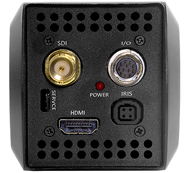 Rear view of CV380-CS
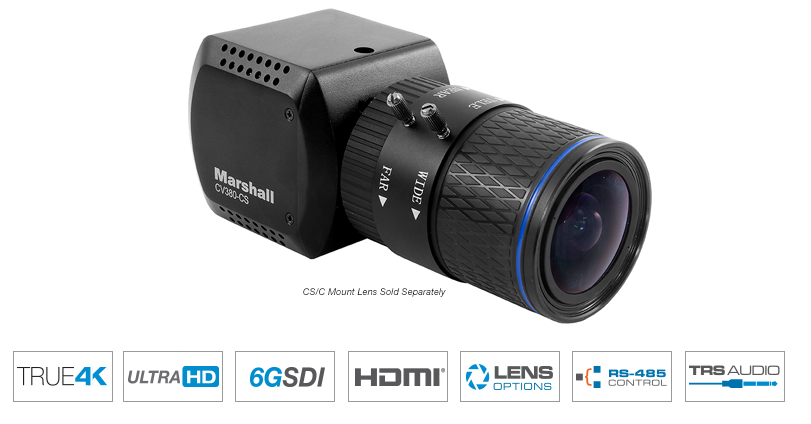
The Marshall CV380-CS is a compact, true 4K camera built around an 8.5-Megapixel, 1/2.5-inch sensor that delivers ultra-crisp, clear true 4K resolution in 4096x2160p. The CV380-CS contains a single 6G (BNC) output with 6G/3G/HD-SDI capability and a simultaneous HDMI output. The flexible CS/C lens mount offers a wide variety of lens options with DC Auto-Iris plug-in ability.
The CV380-CS is a versatile and powerful camera solution in an easy-to-understand design. Remote adjust and match control is delivered via RS485 (Visca) or OSD menu joystick on breakout-cable. A wide range of picture adjustment settings are available such as paint (red/blue), white balance, gain control, pedestal (blacks), exposure, gamma, and more. The CV380-CS delivers ultra-clear 4K or UHD video while maintaining a discrete presence. Use it to capture wide 4096x2160 (4K) video and pull HD frames in post, or as a flexibility spill-over shot, or for unique points-of-view and more.
CV380-CS Applications:
Broadcast Sports, Broadcast Television, Broadcast News, House of Worship, Courtroom, Government Assembly, Live Music & Events, Studio Production, Remote Learning, ProVideo, Broadcast Production, Cinematic Production
|
Sensor |
Image Sensor |
Sony IMX 8.5 Megapixel 1/2.5” CMOS Sensor |
Color |
10bit, 4.2.2, ITU BT.709 |
|
Pixel Size |
1.62 µm x 1.62 µm |
|
Effective Pixel |
3840 (H) x 2160 (V) – aspect ratio 16:9 |
|
Min. Illumination |
Day (Color): 0.2 Lux, Night (B/W): 0.02 Lux |
|
Optics |
Lens |
CS/C mount lenses (sold separate) |
|
Functions |
Back Light Compensation |
BLC, HLM |
Exposure |
Auto / Manual / AGC Fix / Shutter Fix |
|
White Balance |
AWB (3,000°K~8,000°K) / ATW (1,900°K~11,000°K) / Manual / Indoor / Outdoor / One Push |
|
Day & Night System |
Day (Color), Night (B/W), Auto |
|
Electronic Shutter |
NTSC: 1/30~1/10000, PAL: 1/25~10000 |
|
|
Functions |
Black Level, White Level, Privacy Mask, Image Mirror/Flip, Image Freeze, 2D+3D Noise Reduction, Defog, Digital zoom, DIS (Digital Image stabilizer), Gamma Correct, Color Matrix |
|
Video |
SDI |
4096 x 2160p: 23.98, 24, 25, 29.97, 30 fps |
Outputs |
||
HDMI |
4096 x 2160p: 23.98, 24, 25, 29.97, 30 fps |
|
Audio |
Input |
3.5mm TRS Stereo Audio Jack over I/O Cable (Mic and Line) |
Sample Rate |
16/20/24/32 Bits |
|
Control |
RS485 |
SONY-VISCA protocol |
Interface |
||
|
General |
Dimension |
63mm (W) x 63mm (H) x 75.17mm (L) (without lens) |
weight |
0.55 lbs (without lens) |
|
Operation Temperature |
-10 °C ~ 50°C |
|
Power Input |
12V DC (7V to 15VDC) |
|
Power consumption |
9.6W |
| Part No. | Megapixel Rating | Mount Type | Focal Length | Horizontal AOV | Iris | Focus | F-Stop | M.O.D. | |
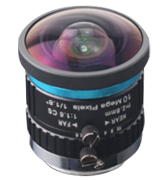 |
CS-2.8-10MP | CS | 10MP | 2.8mm | 118.68° | Manual | F1.6 | 0.3m | |
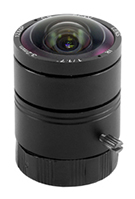 |
CS-3.2-12MP | 12MP | CS | 3.2mm | 110.22° | Fixed | Fine Tune | F2.0 | 0.3m~∞ |
 |
CS-3816-8MP-V2 | CS | 8MP | 3.8~16mm | 84°~23° | DC (4 pin) | F1.4 (W) ~ 1.6 (T) | 0.5m~∞ | |
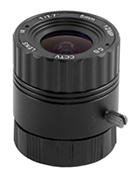 |
CS-5.0-12MP | 12MP | CS | 5.0mm | 73.7° | Fixed | Fine Tune | F2.0 | 0.3m~∞ |
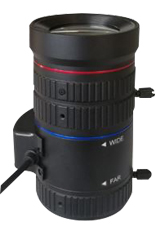 |
CS1150-8MP | 8MP | CS Mount | 11~50mm | 30.23°~7.28°approx | DC Auto (4 pin) | F1.4~close | 0.8m | |
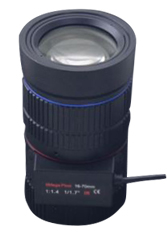 |
C1670-8MP | 8MP | C Mount | 16~70mm | 21.58°~5.24°approx | DC Auto (4 pin) | F1.4~close | 0.8m |

RCP-PLUS
Touchscreen RCP Camera ControlRemote adjust & match cameras via RS485 and VISCA over IP Read more
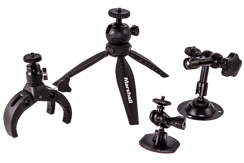
1/4"-20 Mounts
1/4"-20 Compact Camera Stands & Mounts,Clamps, Articulating arms and more... Read more
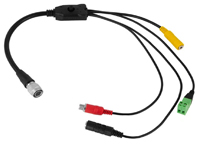
CV420/380-CABLE
Replacement Breakout Cable for CV380/CV420 cameras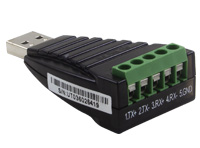
CV-USB-RS485
USB to RS485/422 Adapter for use with Marshall Windows Camera Control Software.Download USB Adapter Instructions
Call for Price
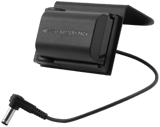

V-PS12V-2.0A-U-L/C
Replacement Power SupplyClick Here For Additional Accessories
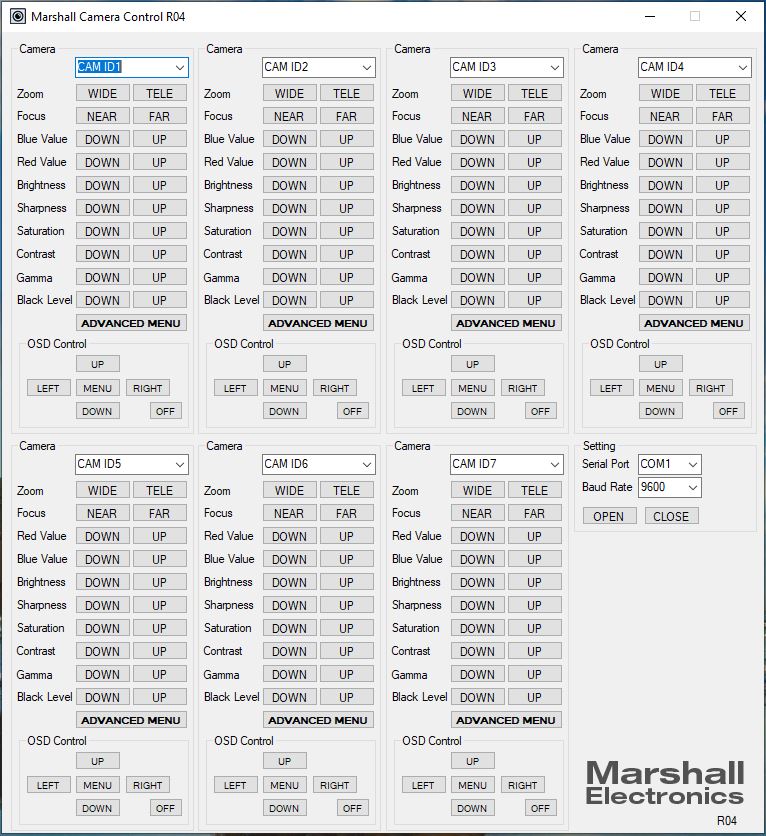
Camera Control Application
- Download Camera Control Software HERE
- Use USB to RS485/RS422 Converter (CV-USB-RS485)
- Use cat5 or 24AWG twisted-pair wire (sold separately)
- Connect cable from RS485(+) terminal on Camera to T/R (+) on USB/RS485 converter
- Connect cable from RS485(-) terminal on Camera to T/R (-) on USB/RS485 converter
- Plug USB cable from USB/RS485 converter into USB port on Laptop or Computer (note ComPort#)
- Open up CamControl Program and match Serial Port to corresponding ComPort# used
- Select Baudrate in CamControl Program and match it in Camera OSD Menu under DISPLAY CONTROL > BAUDRATE
- Select Camera Address in CamControl Program and match it in Camera OSD Menu under DISPLAY CONTROL > CAM ID
- Select Open in CamControl Program
- Test connection by pushing MENU in lower right of CamControl Program - OSD Menu should come up on video signal
- Commands can also be sent without using OSD Menu
* Pricing does not reflect freight costs and applicable taxes and duties
* Pricing, specification and features are subject to change